“All architecture is fundamentally about cost, and all cloud cost is fundamentally about architecture.”
— Corey Quinn, “The Key to Unlock the AWS Billing Puzzle is Architecture” (Last Week in AWS Blog)
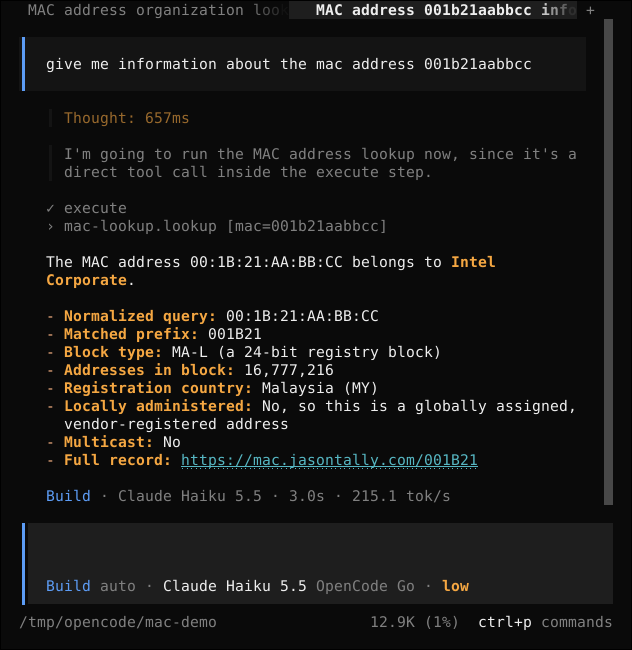
In my last blog post, I talked about what led me to create a MAC address vendor lookup app with no ads, no cookie popups, and no cost per request. I also briefly mentioned a pattern I used to create an MCP server for the MAC address lookup app that also has no cost per request.
The underlying architecture that enables no cost per request is certainly not mainstream. I could not find other mentions of using the components in that way, and they certainly were not marketed as being designed to work that way. In this post, I will explain the architecture and explore some of the limits of the architecture with another tool, and what working on this pattern taught me about the current state of building with AI.
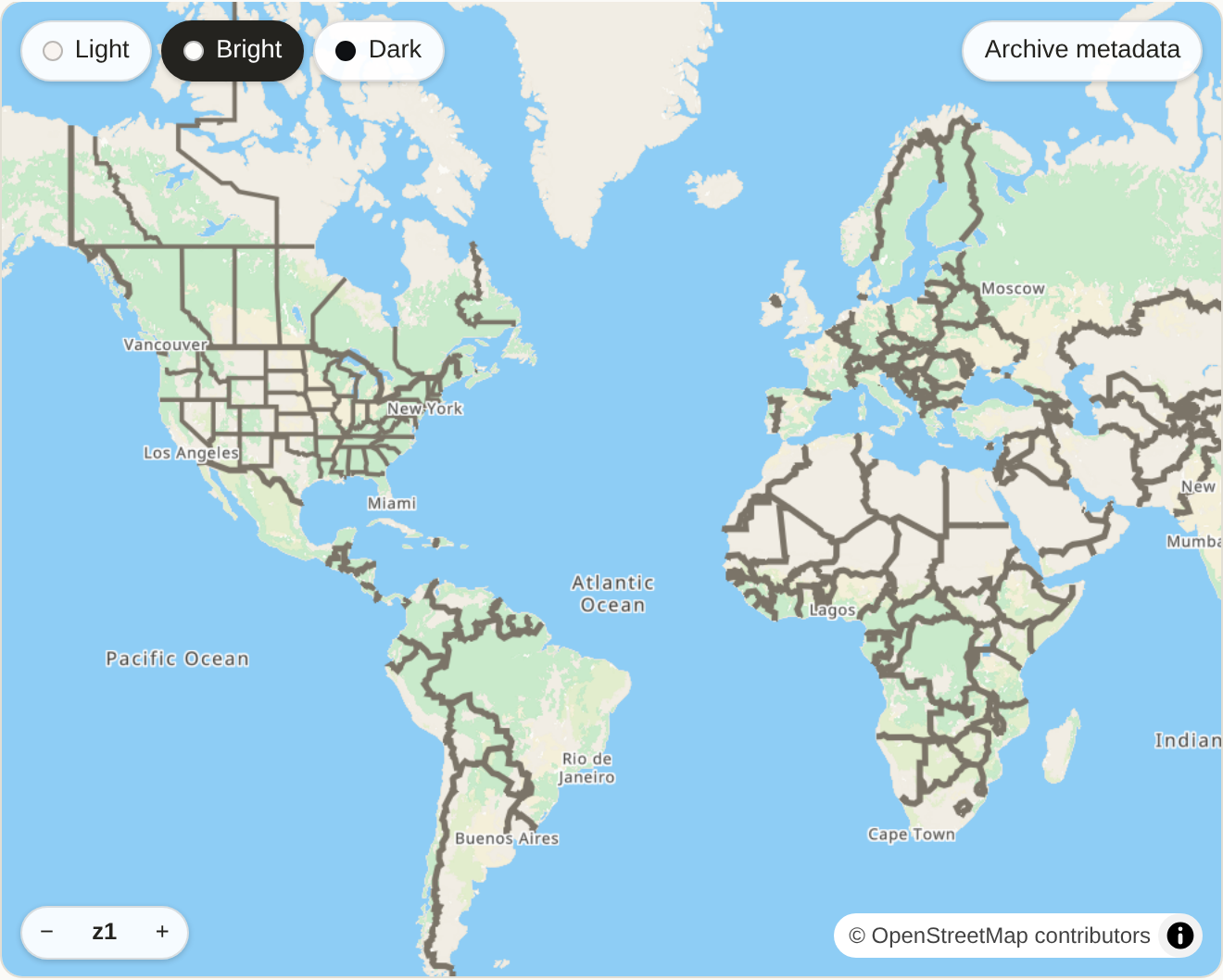
Table of Contents
Open Table of Contents
The pattern
While experimenting with ways to allow LLMs to use my MAC address lookup tool (and failing to get them to interact with the static assets that the site consisted of), I decided to try to create a minimal MCP server.
The most minimal way that I was able to do that was implementing an MCP server in Cloudflare Snippets that uses a lookup table to allow it to find a shard of the data that is stored in Cloudflare Workers Assets in order to quickly retrieve information and present it to the LLM.
One of the advantages of this pattern is that both Snippets and Workers Assets have no charge for requests or data transfer. Of course, these components also have the advantage of being backed by the Cloudflare global platform that manages running Snippets in a globally distributed way, caching the Workers Assets in the datacenters that they are being used in, and keeping the data available. Snippets are available on any paid Cloudflare zone plan, and Workers Assets are available even on the Workers Free plan.
Cloudflare Snippets have only been generally available for a year and a half. So one of the reasons I wanted to write about this is that I don’t think many people have thought to use them this way, and it also seems that this is not in LLM training data yet.
Cloudflare Snippets
Before Cloudflare Snippets, Cloudflare already had a much more powerful programmable primitive in their Workers platform that allowed customers the ability to do almost anything with traffic flowing through Cloudflare’s CDN, even running entire applications there. They also had lightweight capabilities in their various rules that executed faster and at a lower cost, but were relatively rigid.
Other CDNs allowed customers to use something in between by executing Varnish VCL without the costs per request and compute time costs that Workers has. To be fair, Cloudflare Workers is much more capable than VCL based pipelines, but still, Cloudflare was missing something between rigid rules and Workers. To close that gap, and really surpass CDN and traditional cloud provider capabilities, Cloudflare introduced Cloudflare Snippets.
Snippets run in Cloudflare’s Ruleset Engine and are much more constrained than Workers, only allowing 5 ms CPU time (total, not wall time), 2 MB maximum memory, 32 KB total code size, and a very limited number of subrequests (differs by plan type), a limited number of snippets per plan, and JavaScript runtime only. A single snippet instantiation can act on both the request and response phase of an individual request. These strict limits allow Cloudflare to offer Snippets without request or CPU costs for all paid zone plans.
Workers Assets
Cloudflare’s Workers Assets is another gem that allows hosting static assets directly in Cloudflare without paying for requests or egress charges. It’s similar to the older Cloudflare Pages service, but it’s integrated into the Cloudflare Workers product, so you can mix static assets with Workers in the same project.
Similar to Snippets, there are limits. Assets are limited to 25 MiB in size with a maximum of 20,000 assets on the Workers Free plan, and 100,000 assets on the Workers Paid plan.
Assets are purely static. Every requester gets the same result regardless of what their request says. There isn’t any room for customizing data on a per visitor or per user basis for a particular asset retrieval. Range requests are not supported like on some object storage systems, and user uploads also are not possible.
That 25 MiB size limit is a clue that Cloudflare’s Workers Assets is built on top of their Workers KV service. Workers KV is a key value store that’s built on top of object storage with edge caching of reads, meaning that Workers Assets is not only cheaper than object storage from other providers, but it also has built in edge caching that object storage outside Cloudflare typically lacks, and it is free of egress costs.
Combining Snippets and Workers Assets
If we combine Snippets and Workers Assets, each service can cover for some of the limitations of the other service, while still retaining the low cost of both. Snippets can only have a very limited amount of data built in, so we can pull additional data from Workers Assets (that will then edge cache the data in the datacenter where the Snippet is running that is very close to the user).
Workers Assets can’t implement HTTP based APIs or protocols, or dynamic requests, so we can implement simple services in Snippets. As the great Corey Quinn quote about the relationship between cost and architecture says, if we take cost into account in our architecture from the beginning, we deliver better on that aspect. Of course, there are tradeoffs when you do that, but if you don’t include it in the beginning, you might end up with something great that you struggle to pay for, for years to come.
Like I mentioned in my post about the MAC address lookup app, after failing to get things like Claude or ChatGPT to interact with static assets directly to look up MAC addresses, I turned to the pattern of Snippets and Workers Assets to implement a stateless MCP server in the snippet that has rules encoded in it to find a data shard to load from Workers Assets that it can then use to find the data about the MAC address that it needs to look up.
Stress testing the pattern: hosting a ~130 GB PMTiles dataset
The MAC address lookup pattern was an easy case for a Snippet with Workers Assets. The largest data shard is 174 KB, much less than the 2 MB memory limit, quick to load and process within the 5 ms CPU time, and there are less than 14,000 shards of data, so it could fit even into the Workers Free plan limits. The source data is small, so I could afford to process the data and create the assets while I was creating the Parquet static assets that the client side MAC address query engine uses, without going over the time limits in the Workers Builds environment that I use to update the data every day.
I searched for something that I could implement that would push the limits of the pattern, but also be useful to me.
I had used a free third party map tile hosting service in my https://floridaschools.jasontally.com app that I used to help me decide where in Florida to move to in one other weekend AI exploration project that I haven’t written about yet. That app has experienced the service applying new limits that they had not applied before, and that broke the app. So, among the ideas, I chose to try to get a map tile hosting service for the whole world, running on the Snippets + Workers Assets pattern.
I settled on trying to get the Protomaps PMTiles vector style map tiles running on this pattern. Protomaps PMTiles is typically hosted on object storage as a single ~130 GB file that supports range requests to serve up small portions at a time.
Even the very cost efficient Cloudflare R2 object storage still has costs per request for uncached requests that could make hosting Protomaps PMTiles expensive, and even more so if you use something like S3 that has egress costs. Because of this, most Protomaps PMTiles hosting is limited or only for the use of the host, and even more so for less cost efficient ways of hosting tiles.
Splitting the archive
To make hosting this data possible, fit into the Workers build time limits (that aren’t necessarily a limit of the pattern if you run the build on your own infrastructure), and make processing the files quick enough to fit into the 5 ms CPU time window, I ended up splitting the PMTiles data into ~130,000 1 MB files spread across 26 Workers Assets projects.
While this number of files would only require 2 Workers Assets projects, the time it takes to download the data, process it, and upload it into Workers Assets would occasionally exceed the time limit for Cloudflare Workers Builds when that work was split across 12 projects. So I doubled the number from my initial attempt to avoid that issue.
The request path
PMTiles clients like MapLibre GL can request a range that crosses the border between two different data shards, so instead of using one of the 2 subrequests that my Snippets are limited to, to load a directory, we store a set of rules in the snippet that allow it to come up with the path to the 2 potential shards without making a request. The snippet then streams the data from the shards through a fixed size buffer (to avoid running out of memory), and picks up the data required to form the response, canceling the loading of the asset directly to the client after it has the data it needs, and sends the response.
Using the tiles
The documentation page for this is at tiles.jasontally.com. It has the live map, the style builder, and the migration guide. If you already use Leaflet or MapLibre GL, the guide has instructions for moving to these tiles. It also covers the protomaps-leaflet and @maplibre/maplibre-gl-leaflet adapters if you want to keep Leaflet.
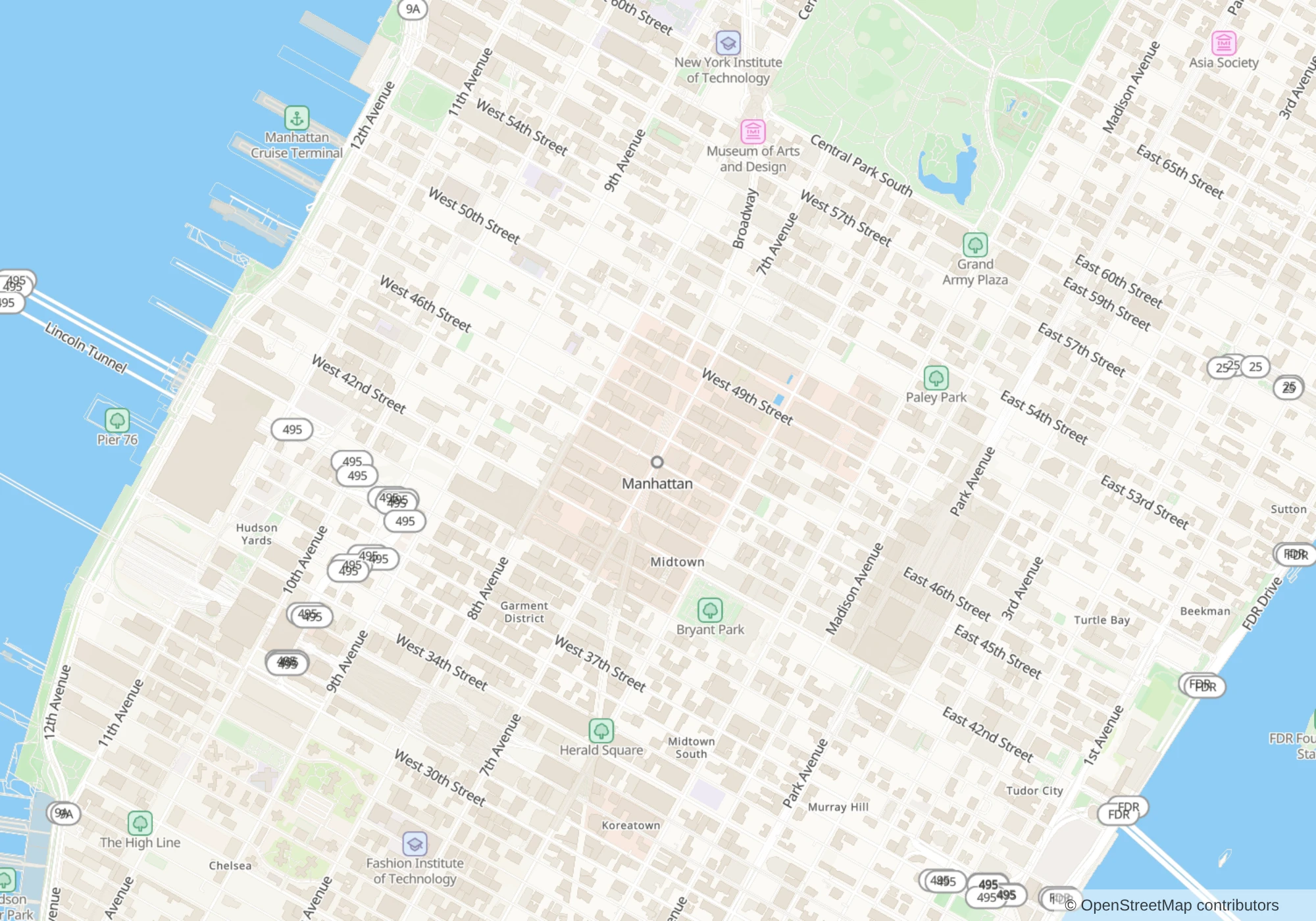
One more use is map.jasontally.com. It is an infinitely pannable canvas that starts at the coordinates of the request and can zoom quite deep. It uses the same archive, and the screenshot below shows Manhattan at a zoom level where the major streets are visible.
I moved my Leaflet based floridaschools.jasontally.com app over to these maps, so you can see it in use. If you want to build a web page or app with maps, point your agent at tiles.jasontally.com and tell it to use that. The page has the tile URL, the styles, and example code it can follow.
What happens under load
Most applications get slower as load increases. More requests compete for the same CPU, the same memory, the same database connection pool, and the same origin. A cache helps, but a cache miss still goes back to the origin, and the origin is usually the part that cannot scale as fast as the edge. Queuing starts, tail latency grows, and the application needs more capacity just to keep the same response time.
This pattern behaves differently. At low load, the performance is acceptable. A request runs a Snippet, the Snippet reads a small shard from Workers Assets, and the response goes back to the client.
The first request for a shard in a POP (point of presence) pays for the fetch from storage. After that, the shard is in the cache of that POP. As load increases, the shards that are in demand are more likely to be in cache and to stay there. Within the capacity of the POP, performance goes up and becomes more consistent, not down.
The benchmark
I benchmarked both the MAC address lookup and the tile service against a single Cloudflare datacenter. In both cases I reached thousands of requests per second without a slowdown. The only degradation I saw was when the machine I used to generate the load ran out of resources. The application did not run out first.
The geographic cache
The effect is stronger with a data set that is tied to geography, like map tiles. Tiles for Florida are mostly requested by users near Florida. The POP that serves those users caches the Florida tiles, and it does not need the tiles for the rest of the world to serve them.
Each POP keeps the part of the data set that its users ask for. The cache is sized by local demand, not by the size of the archive. A user in Florida gets a cache hit for Florida, and a user in Europe gets a cache hit for Europe. The long tail still exists, but it is a small part of the traffic and it does not push the whole ~130 GB archive through every POP.
The MAC address lookup
The same idea applies to the MAC address lookup, but the working set is smaller and less regional. The busiest shards stay cached, and the rest are fetched when they are needed. This does not remove the cost of the first request in a POP, and it does not beat the speed of light. It removes the central bottleneck that makes most applications slower as load increases.
What this taught me about working with AI
LLMs are essentially computing likely outputs based on the data they are trained on, with reinforcement learning to modify their behavior to be better for common use cases. Even though Cloudflare Snippets have been around since 2022 and went GA in 2025, and Workers Assets have been around since 2024 (and Workers Sites for much longer), LLMs still haven’t picked up on what is possible.
In both the MAC address lookup MCP and the tile hosting use cases, the LLM I was using to write the code first tried to explain to me how the limits of Snippets or Workers Assets would not work for these use cases, explaining how it wouldn’t be possible to do this with just 5 ms of CPU time or 2 MiB memory or a 25 MiB file limit. In each case, I needed to explain the details more deeply, and how we would deal with the limits before it could progress.
Even if you are using AI to build something, it is still critical to understand the details of the primitives you are working with, and the architecture you are using to bring them together. LLMs won’t have the most novel or efficient ways to do things in their training data. This also means that, as a human, you can still have an advantage, even when you aren’t the one writing the code.